Free Landscaping Estimate Template
A clean, professional estimate template for landscaping businesses — free to download and use, no email required. The Excel version calculates line amounts, tax, and the total automatically; the Word version is a fill-in you can print.
A landscaping estimate often blends a one-time build with ongoing maintenance, and the two should never share a line. Price the build by its phases — grading and drainage, hardscape, planting, irrigation — with materials by volume or count, then quote any recurring maintenance separately so the customer sees the project price and the seasonal price as two distinct commitments.
Free for any use. No sign-up, no email gate. The Excel workbook comes pre-filled with starter landscaping line items — edit them to match the job.
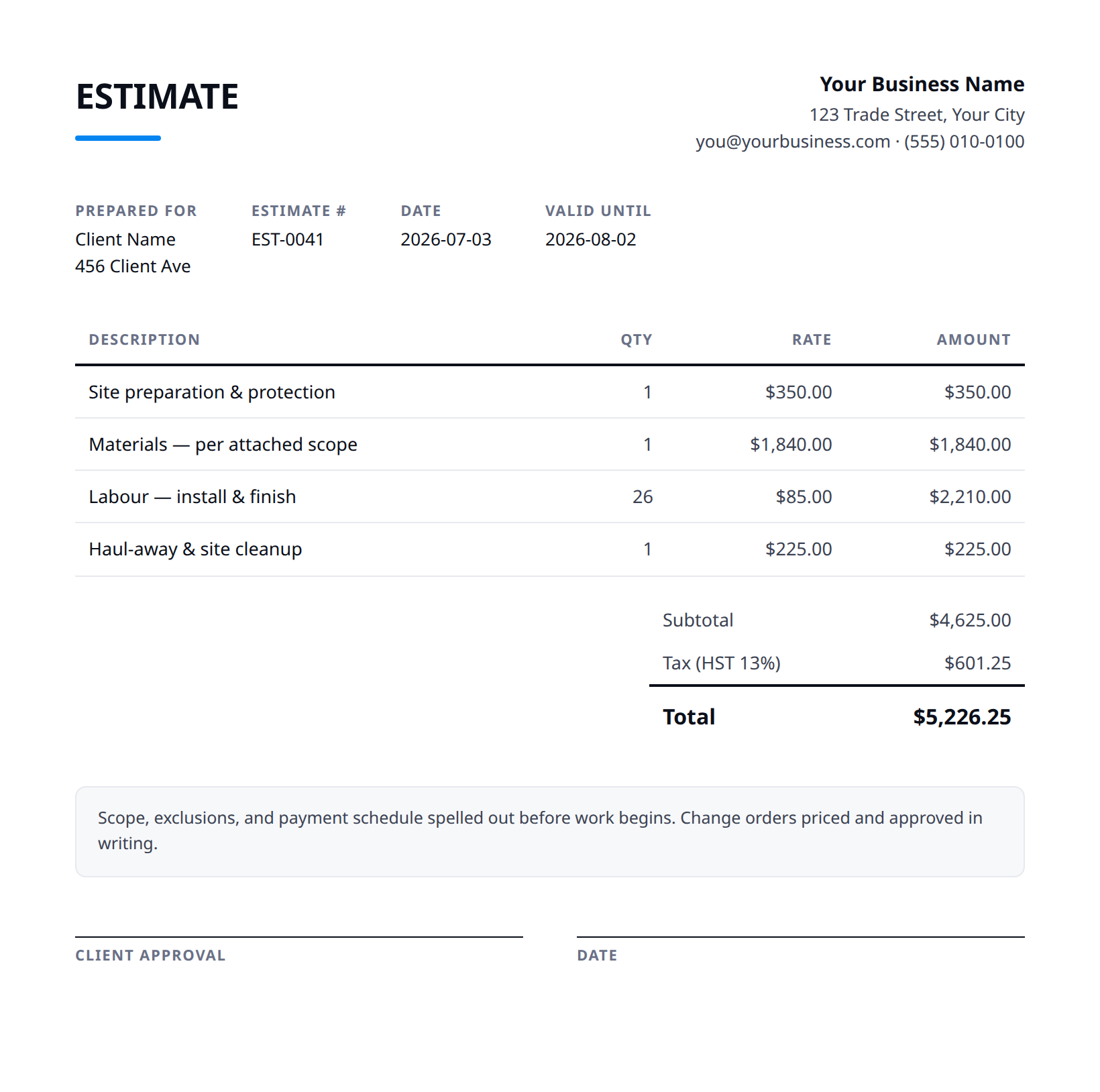
What a good landscaping estimate includes
- Your business name and contact details — and the client's.
- An estimate number and date, plus how long the price is valid.
- Line items with a clear description, quantity, unit price, and amount.
- Subtotal, tax (at your local rate), and the total — no surprises later.
- Notes and terms: what's included, what's excluded, deposit and payment terms.
- Break the build into phases — grading and drainage, hardscape (patio, walls, walkways), planting, sod, and irrigation — with a subtotal each, so the customer sees where the money goes.
- Price bulk materials by volume or count: mulch and soil by the cubic yard, stone by the ton or pallet, plants by size and quantity, sod by the square foot, with delivery stated.
- Quote recurring maintenance (mowing, bed care, seasonal cleanups) as its own separate scope and rate, not folded into the build, so the ongoing commitment is a clear, optional decision.
- State site assumptions — access for equipment and trucks, existing grade and drainage, and that the price assumes diggable soil — and call out utility locates before any excavation.
- Note plant warranty and replacement terms, who's responsible for watering during establishment, and exclusions like tree removal, retaining-wall engineering, or permits.
Example line items for a landscaping estimate
A starting point — adapt these to the job in front of you.
Common questions
Is this template really free?
Yes — download it and use it for any business. No email, no sign-up, no watermark beyond a one-line credit you can delete.
What's the difference between the Excel and Word versions?
The Excel version calculates line amounts, tax, and the total automatically from what you type — enter your tax rate once and the math is done. The Word version is a clean fill-in you can print or edit.
Can I edit the template?
Completely. Add your logo, change labels, add rows, adjust the terms — it's yours to adapt.
When the template becomes the bottleneck
Templates work until you're retyping the same client, the same lines, and the same totals every week. Stairkey turns the job itself into the estimate — quoted on site, approved, and billed from one record. See how it fits landscaping.