Free Handyman Estimate Template
A clean, professional estimate template for handyman businesses — free to download and use, no email required. The Excel version calculates line amounts, tax, and the total automatically; the Word version is a fill-in you can print.
Use this free estimate template to quote a handyman job before you start — whether it's a single fix or a punch list of small repairs and installs. It sets a clear scope, an hourly or flat price, and what's included so the homeowner knows exactly what they're getting.
Free for any use. No sign-up, no email gate. The Excel workbook comes pre-filled with starter handyman line items — edit them to match the job.
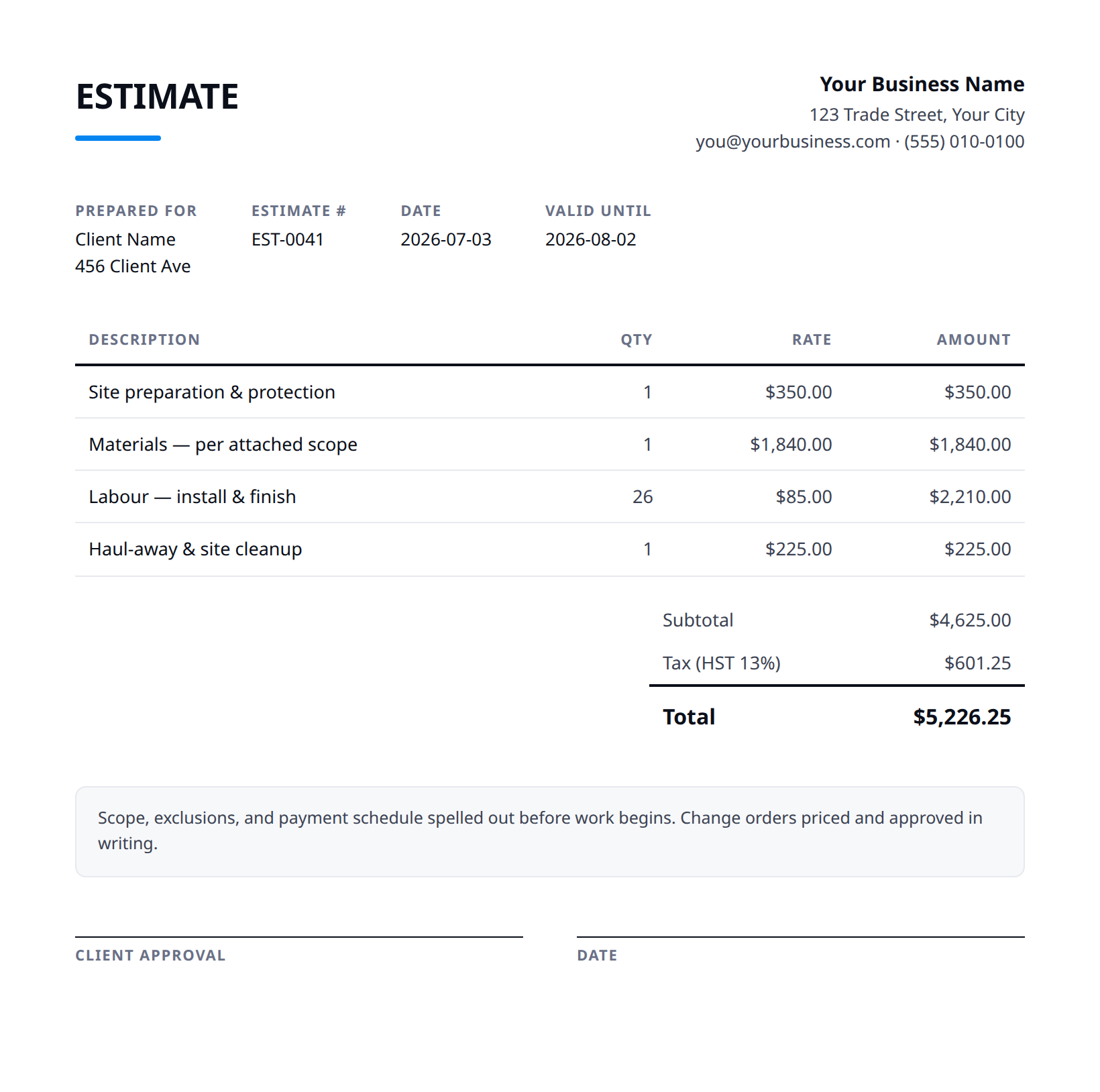
What a good handyman estimate includes
- Your business name and contact details — and the client's.
- An estimate number and date, plus how long the price is valid.
- Line items with a clear description, quantity, unit price, and amount.
- Subtotal, tax (at your local rate), and the total — no surprises later.
- Notes and terms: what's included, what's excluded, deposit and payment terms.
- State whether you're charging a flat rate per task or an hourly labor rate with a minimum (e.g. 1-hour or 2-hour minimum, then billed in 30-min increments) — handyman jobs vary too much for one number to cover everything.
- List each task as its own line so the customer can pick and choose — mounting a TV, fixing a leaky faucet, and patching drywall are separate jobs and may be approved or dropped individually.
- Separate labor from materials and add a markup or pickup/shopping fee line if you're sourcing parts — note that exact material counts (anchors, fittings, paint, fixtures) may shift once walls are open.
- Add a 'discovery' clause: behind-the-wall surprises like rot, old wiring, or hidden leaks aren't in the quote and will be priced separately before you proceed.
- Put an expiration date on the estimate (e.g. valid 30 days) and flag any task that needs a licensed electrician, plumber, or permit so it's clear what falls outside handyman scope.
Example line items for a handyman estimate
A starting point — adapt these to the job in front of you.
Common questions
Is this template really free?
Yes — download it and use it for any business. No email, no sign-up, no watermark beyond a one-line credit you can delete.
What's the difference between the Excel and Word versions?
The Excel version calculates line amounts, tax, and the total automatically from what you type — enter your tax rate once and the math is done. The Word version is a clean fill-in you can print or edit.
Can I edit the template?
Completely. Add your logo, change labels, add rows, adjust the terms — it's yours to adapt.
When the template becomes the bottleneck
Templates work until you're retyping the same client, the same lines, and the same totals every week. Stairkey turns the job itself into the estimate — quoted on site, approved, and billed from one record. See how it fits handyman.