Free Handyman Invoice Template
A clean, professional invoice template for handyman businesses — free to download and use, no email required. The Excel version calculates line amounts, tax, and the total automatically; the Word version is a fill-in you can print.
Use this free invoice template to bill a handyman job after the work is done — listing each repair or install you completed, the actual hours worked, and the parts you supplied. It's built for the reality of knocking out several small jobs in one visit.
Free for any use. No sign-up, no email gate. The Excel workbook comes pre-filled with starter handyman line items — edit them to match the job.
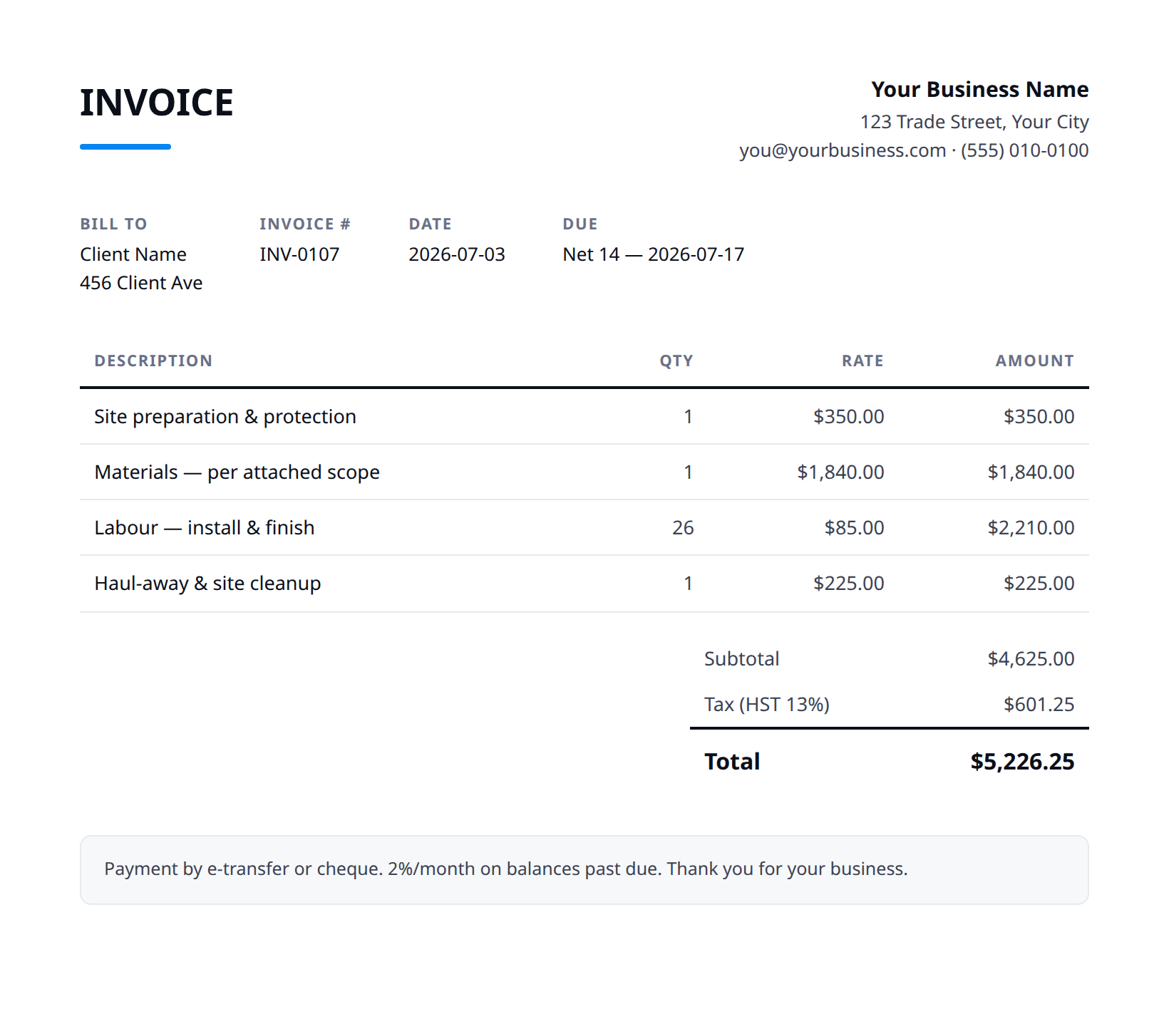
What a good handyman invoice includes
- Your business name and contact details — and the client's.
- An invoice number, issue date, and a clear due date.
- Line items that match what was quoted and what was actually done.
- Subtotal, tax (at your local rate), and the balance due.
- How to pay you: methods you accept and any late-payment terms.
- Bill the actual time worked against your minimum and increments, not the estimate — if a faucet swap ran long because the shutoff valve was seized, show the added time and why.
- Itemize every task you completed on its own line so the customer can match the invoice to the punch list they approved, including any extras you handled on the spot.
- List parts and materials you supplied with receipts or a line-item count (anchors, valves, caulk, fixtures) and apply your markup consistently — keep customer-supplied items off the parts total.
- Note any approved change or add-on separately (e.g. 'added: re-hung sagging gutter, customer OK'd on-site') so there's no dispute about scope creep.
- State payment terms and accepted methods plainly — many handyman jobs are paid same-day, so list e-transfer/card/check options, a due date, and any deposit already collected to net out the balance.
Example line items for a handyman invoice
A starting point — adapt these to the job in front of you.
Common questions
Is this template really free?
Yes — download it and use it for any business. No email, no sign-up, no watermark beyond a one-line credit you can delete.
What's the difference between the Excel and Word versions?
The Excel version calculates line amounts, tax, and the total automatically from what you type — enter your tax rate once and the math is done. The Word version is a clean fill-in you can print or edit.
Can I edit the template?
Completely. Add your logo, change labels, add rows, adjust the terms — it's yours to adapt.
When the template becomes the bottleneck
Templates work until you're retyping the same client, the same lines, and the same totals every week. Stairkey turns the job itself into the invoice — quoted, approved, and billed from one record. See how it fits handyman.