Free Pool & Spa Service Invoice Template
A clean, professional invoice template for pool & spa service businesses — free to download and use, no email required. The Excel version calculates line amounts, tax, and the total automatically; the Word version is a fill-in you can print.
A pool-service invoice should list the visit dates covered and keep recurring service, chemicals, and one-off repairs on separate lines. For a weekly account, naming the dates and the chemicals used turns a flat recurring charge into something the customer can see the value in.
Free for any use. No sign-up, no email gate. The Excel workbook comes pre-filled with starter pool & spa service line items — edit them to match the job.
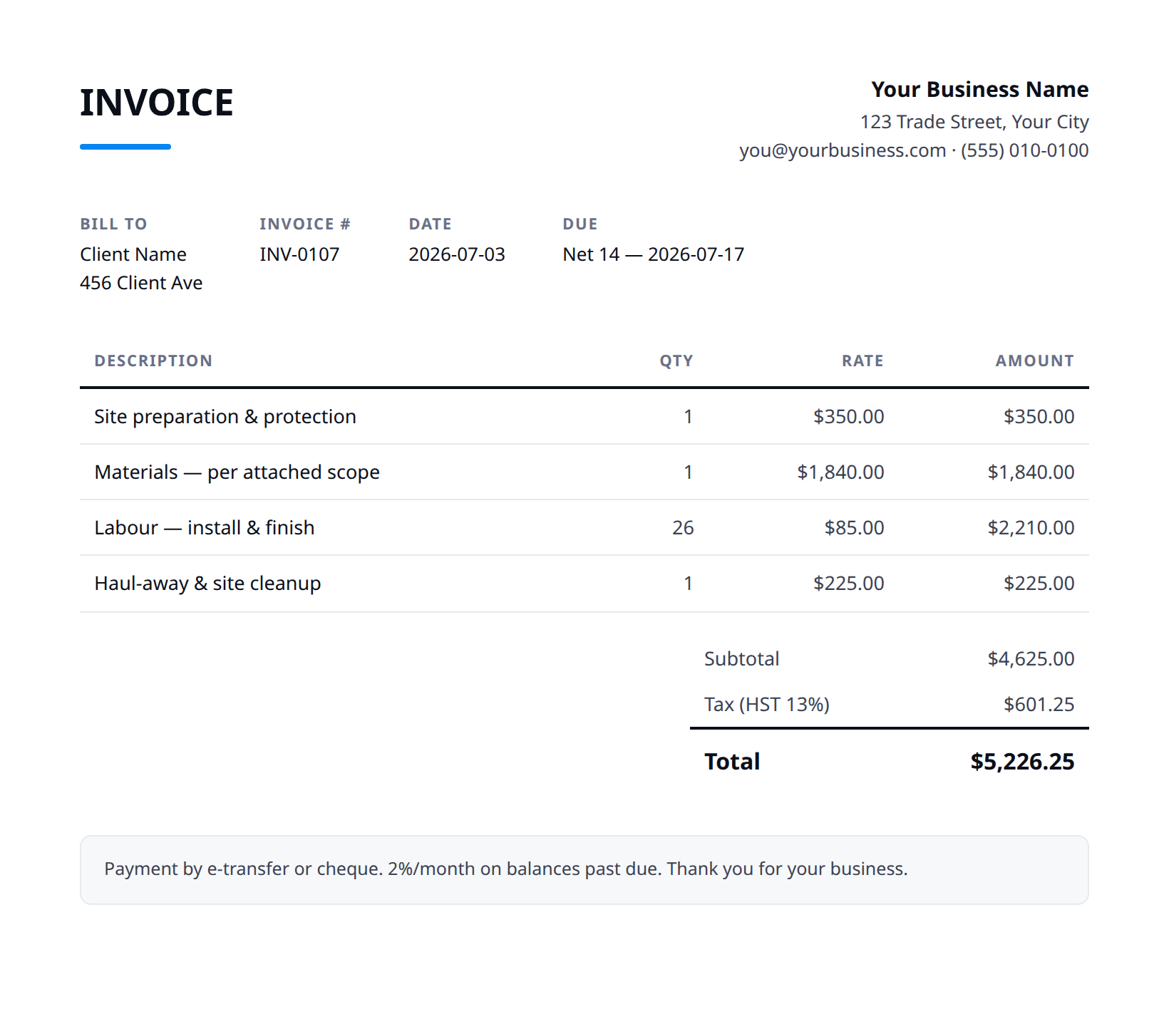
What a good pool & spa service invoice includes
- Your business name and contact details — and the client's.
- An invoice number, issue date, and a clear due date.
- Line items that match what was quoted and what was actually done.
- Subtotal, tax (at your local rate), and the balance due.
- How to pay you: methods you accept and any late-payment terms.
- List the visit dates covered by the invoice, so the recurring charge maps to actual service.
- Show recurring maintenance, chemicals used, and one-off repairs as separate lines.
- For repairs, itemize parts and labour and record any equipment installed (make and model) for the customer's records and warranty.
- Bill seasonal openings and closings on their own lines, separate from the recurring rate.
- State the payment due date and accepted methods, and the next scheduled visit for recurring accounts.
Example line items for a pool & spa service invoice
A starting point — adapt these to the job in front of you.
Common questions
Is this template really free?
Yes — download it and use it for any business. No email, no sign-up, no watermark beyond a one-line credit you can delete.
What's the difference between the Excel and Word versions?
The Excel version calculates line amounts, tax, and the total automatically from what you type — enter your tax rate once and the math is done. The Word version is a clean fill-in you can print or edit.
Can I edit the template?
Completely. Add your logo, change labels, add rows, adjust the terms — it's yours to adapt.
When the template becomes the bottleneck
Templates work until you're retyping the same client, the same lines, and the same totals every week. Stairkey turns the job itself into the invoice — quoted, approved, and billed from one record. See how it fits pool & spa service.