Free Plumbing Estimate Template
A clean, professional estimate template for plumbing businesses — free to download and use, no email required. The Excel version calculates line amounts, tax, and the total automatically; the Word version is a fill-in you can print.
A plumbing estimate ranges from a flat-rate service call to a repipe or fixture install, and the customer needs to know which they're getting. State your diagnostic or service-call fee, separate parts from labour, and be explicit about access — the wall you may need to open, the shutoff you may not find — because plumbing surprises live behind finished surfaces.
Free for any use. No sign-up, no email gate. The Excel workbook comes pre-filled with starter plumbing line items — edit them to match the job.
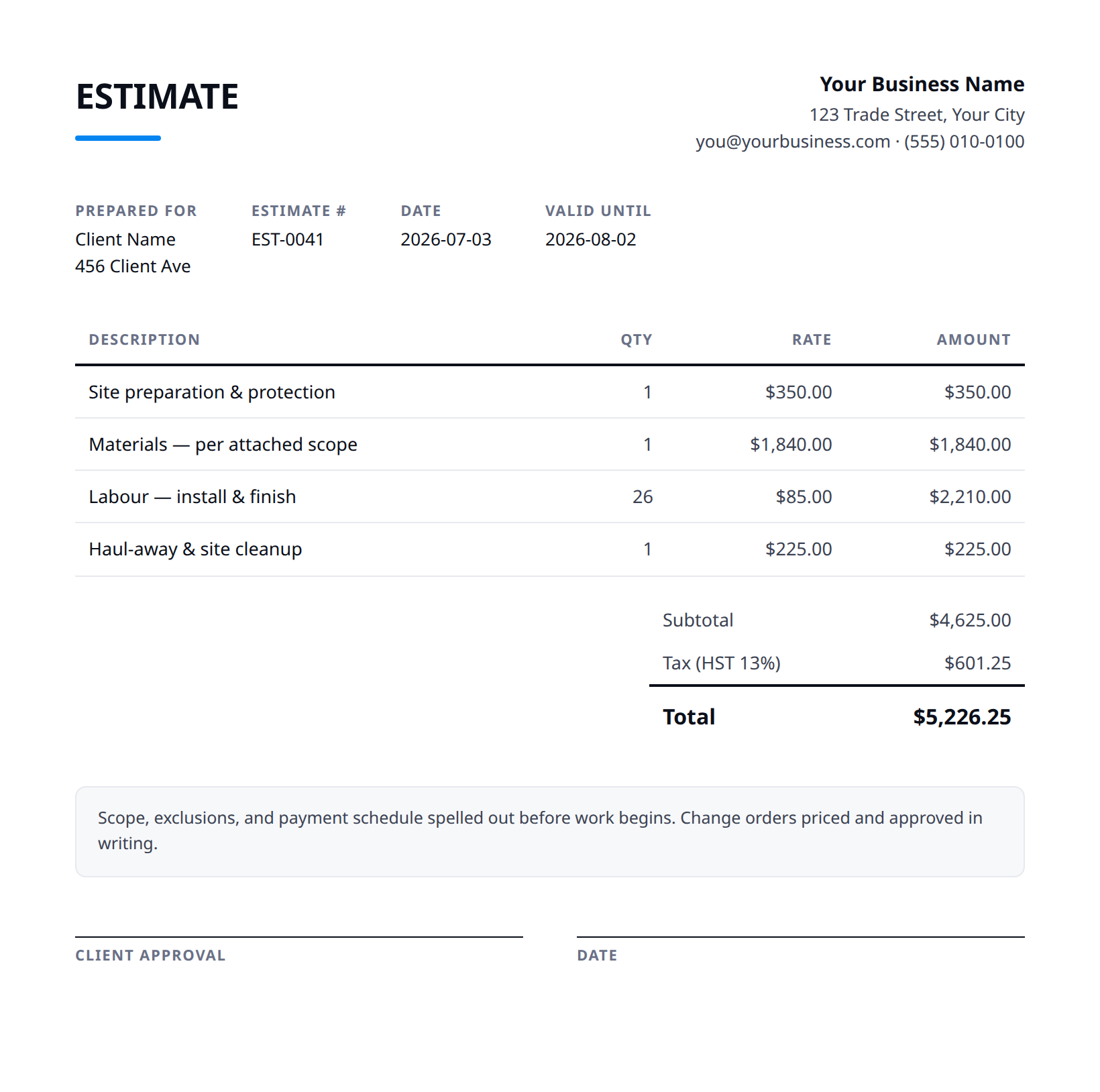
What a good plumbing estimate includes
- Your business name and contact details — and the client's.
- An estimate number and date, plus how long the price is valid.
- Line items with a clear description, quantity, unit price, and amount.
- Subtotal, tax (at your local rate), and the total — no surprises later.
- Notes and terms: what's included, what's excluded, deposit and payment terms.
- State your service-call or diagnostic fee and whether it applies toward the repair if approved, plus your minimum charge for small jobs.
- Use clear flat-rate pricing per task where you can, and separate parts (fixtures, valves, fittings) from labour so substitutions are easy to reprice.
- Be explicit about access and restoration: opening a wall or ceiling to reach a pipe, and whether drywall or tile repair afterward is included or excluded.
- For fixture installs, state who supplies the fixture and that the price assumes existing rough-in and shutoffs are sound; corroded valves or non-standard rough-in are priced separately.
- Call out permits where required (water heaters, gas, repipes), and exclusions like concealed-leak damage, mould, or bringing old plumbing up to current code.
Example line items for a plumbing estimate
A starting point — adapt these to the job in front of you.
Common questions
Is this template really free?
Yes — download it and use it for any business. No email, no sign-up, no watermark beyond a one-line credit you can delete.
What's the difference between the Excel and Word versions?
The Excel version calculates line amounts, tax, and the total automatically from what you type — enter your tax rate once and the math is done. The Word version is a clean fill-in you can print or edit.
Can I edit the template?
Completely. Add your logo, change labels, add rows, adjust the terms — it's yours to adapt.
When the template becomes the bottleneck
Templates work until you're retyping the same client, the same lines, and the same totals every week. Stairkey turns the job itself into the estimate — quoted on site, approved, and billed from one record. See how it fits plumbing.