Free Painting Estimate Template
A clean, professional estimate template for painting businesses — free to download and use, no email required. The Excel version calculates line amounts, tax, and the total automatically; the Word version is a fill-in you can print.
This estimate breaks down an interior/exterior repaint by room and surface, with prep, primer, and finish coats spelled out so the homeowner knows exactly what's being painted and what isn't.
Free for any use. No sign-up, no email gate. The Excel workbook comes pre-filled with starter painting line items — edit them to match the job.
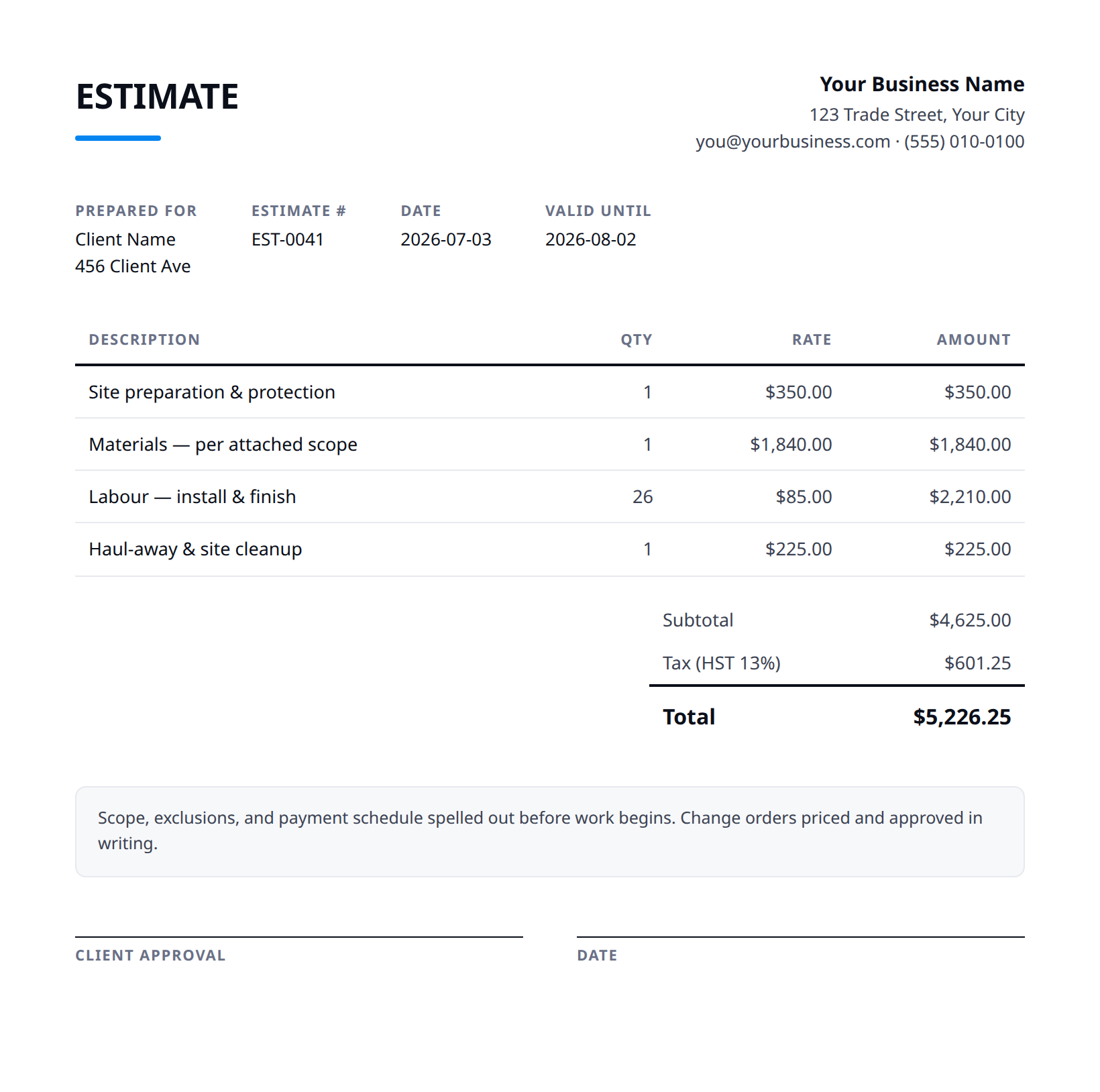
What a good painting estimate includes
- Your business name and contact details — and the client's.
- An estimate number and date, plus how long the price is valid.
- Line items with a clear description, quantity, unit price, and amount.
- Subtotal, tax (at your local rate), and the total — no surprises later.
- Notes and terms: what's included, what's excluded, deposit and payment terms.
- Specify number of coats per surface and the product line/sheen (e.g., 2 coats eggshell on walls, semi-gloss on trim) — repaint over dark or glossy colors may need an extra coat or primer, so note that.
- Itemize prep separately: patching, sanding, caulking, scraping, and priming bare/stained spots. Prep is where jobs blow up, so list it rather than burying it in 'paint walls'.
- State exactly what's included vs. excluded — ceilings, closets, doors, trim, inside of cabinets — and call out exclusions like wallpaper removal, drywall repair beyond minor patching, or lead-paint handling on pre-1978 homes.
- Note who supplies paint and the assumed gallons/color count; extra colors mean more cut-in time and cleanup. State whether the price assumes a standard color or premium/deep-base product.
- Add an estimate validity window (e.g., 30 days) and surface/access assumptions — high ceilings, scaffolding, weather for exterior, and that the price assumes sound substrate not failing caulk or rotted wood found behind.
Example line items for a painting estimate
A starting point — adapt these to the job in front of you.
Common questions
Is this template really free?
Yes — download it and use it for any business. No email, no sign-up, no watermark beyond a one-line credit you can delete.
What's the difference between the Excel and Word versions?
The Excel version calculates line amounts, tax, and the total automatically from what you type — enter your tax rate once and the math is done. The Word version is a clean fill-in you can print or edit.
Can I edit the template?
Completely. Add your logo, change labels, add rows, adjust the terms — it's yours to adapt.
When the template becomes the bottleneck
Templates work until you're retyping the same client, the same lines, and the same totals every week. Stairkey turns the job itself into the estimate — quoted on site, approved, and billed from one record. See how it fits painting.