Free Painting Invoice Template
A clean, professional invoice template for painting businesses — free to download and use, no email required. The Excel version calculates line amounts, tax, and the total automatically; the Word version is a fill-in you can print.
This invoice records the completed repaint — rooms and surfaces painted, coats applied, and prep performed — with any added work like extra coats or wood repair listed separately from the quoted scope.
Free for any use. No sign-up, no email gate. The Excel workbook comes pre-filled with starter painting line items — edit them to match the job.
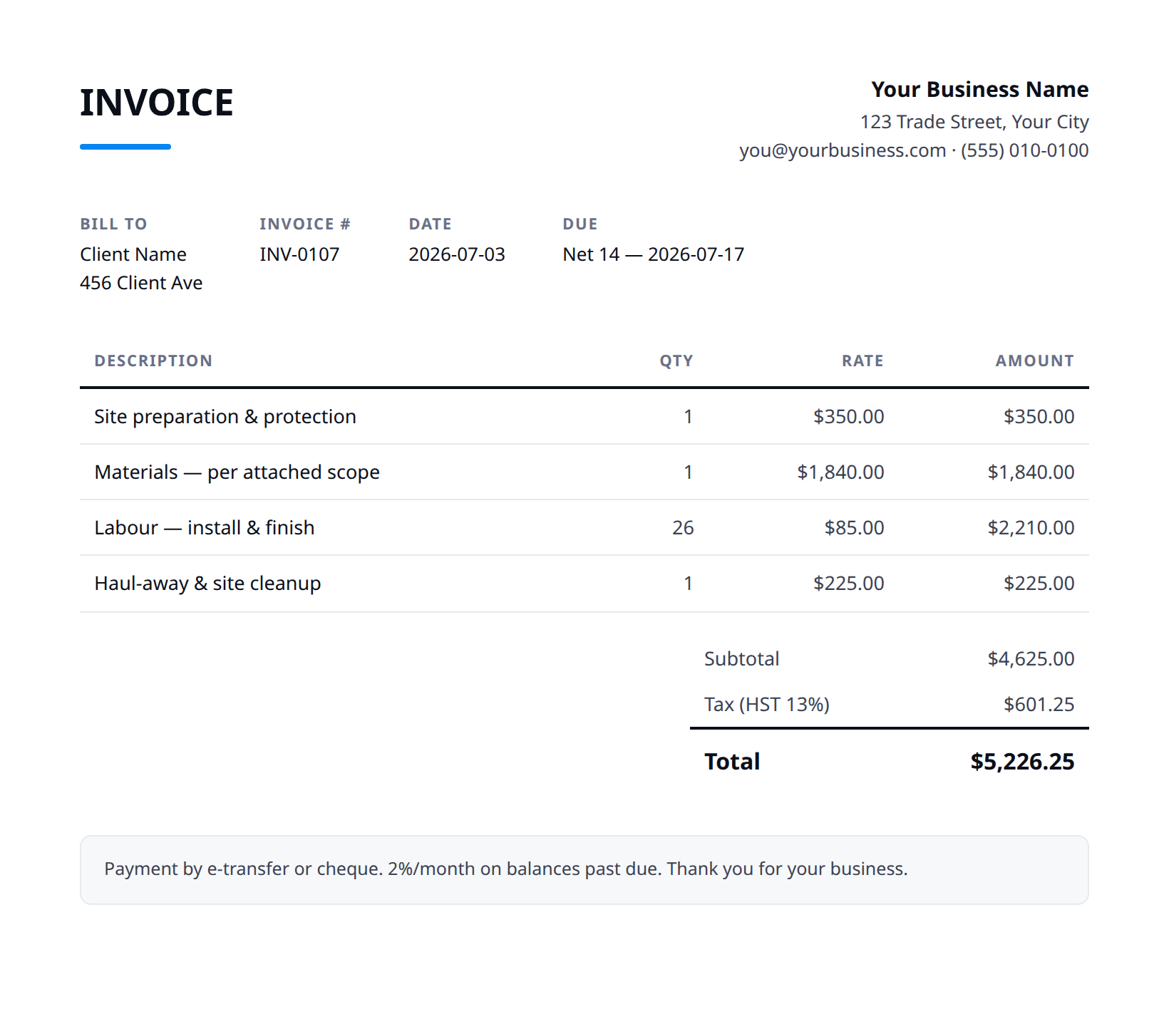
What a good painting invoice includes
- Your business name and contact details — and the client's.
- An invoice number, issue date, and a clear due date.
- Line items that match what was quoted and what was actually done.
- Subtotal, tax (at your local rate), and the balance due.
- How to pay you: methods you accept and any late-payment terms.
- List each room/area actually painted and the coats applied, so the invoice matches the walkthrough. If you added a coat for coverage over a dark color, show it as a line.
- Bill change-order work separately from the original estimate — extra colors, drywall repair, rot replacement, or wallpaper removal found mid-job — with a short note on what triggered it.
- Record the products and sheens used (brand, line, color codes) for the customer's records and future touch-ups; it also justifies the paint portion of the cost.
- Spell out any client-supplied vs. contractor-supplied paint and reconcile it — credit unused gallons or note leftover cans left on site for touch-ups.
- State the warranty terms (e.g., 2 years on workmanship, peeling/blistering excluded on failing substrate), payment due date, deposit already applied, and accepted payment methods.
Example line items for a painting invoice
A starting point — adapt these to the job in front of you.
Common questions
Is this template really free?
Yes — download it and use it for any business. No email, no sign-up, no watermark beyond a one-line credit you can delete.
What's the difference between the Excel and Word versions?
The Excel version calculates line amounts, tax, and the total automatically from what you type — enter your tax rate once and the math is done. The Word version is a clean fill-in you can print or edit.
Can I edit the template?
Completely. Add your logo, change labels, add rows, adjust the terms — it's yours to adapt.
When the template becomes the bottleneck
Templates work until you're retyping the same client, the same lines, and the same totals every week. Stairkey turns the job itself into the invoice — quoted, approved, and billed from one record. See how it fits painting.