Free Remodeling Invoice Template
A clean, professional invoice template for remodeling businesses — free to download and use, no email required. The Excel version calculates line amounts, tax, and the total automatically; the Word version is a fill-in you can print.
A remodeling invoice is where the allowances meet the homeowner's actual choices. By billing time every finish has been selected, so each allowance gets reconciled: where they spent under the placeholder, show a credit; where they upgraded, show the overage on its own line so the math is transparent. Bill in milestones tied to the rooms and phases the family physically watched happen — demo done, that bathroom tiled and grouted, kitchen finishes set — rather than against a calendar. And write every selection upgrade as its own small change order instead of folding it silently into the total. An invoice built this way reads like a receipt the homeowner can check against their own decisions, which is what keeps the final payment from turning into an argument.
Free for any use. No sign-up, no email gate. The Excel workbook comes pre-filled with starter remodeling line items — edit them to match the job.
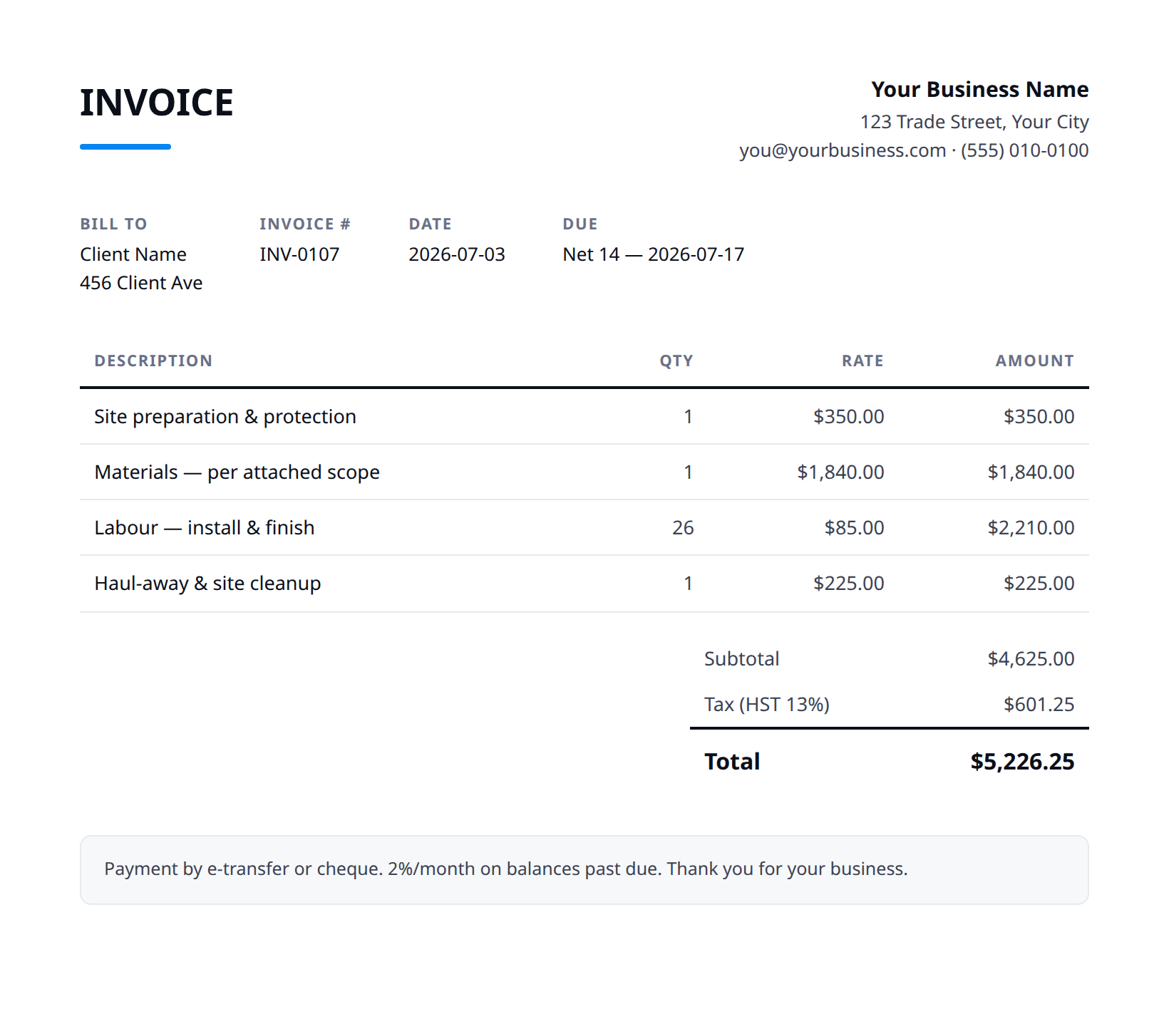
What a good remodeling invoice includes
- Your business name and contact details — and the client's.
- An invoice number, issue date, and a clear due date.
- Line items that match what was quoted and what was actually done.
- Subtotal, tax (at your local rate), and the balance due.
- How to pay you: methods you accept and any late-payment terms.
- Reconcile every allowance against the real selection: show the original allowance, the actual cost of what they chose, and the difference as a clearly labeled credit or overage line, so the homeowner sees exactly where their picks moved the number.
- Bill by room or phase milestone, not by date — 'hall bath complete' or 'kitchen finishes installed' is a moment the family lived through, which makes it an easy invoice to recognize and approve.
- Write each finish upgrade as its own selection change order (the quartz chosen over the laminate allowance, the upgraded tile, the heated floor they added mid-job) with its own price, so the upgrade is visibly the client's decision and visibly priced.
- Itemize the occupied-home work you actually delivered, and don't let the final dust removal and move-back-in deep clean vanish into a lump sum — that's the first thing the family sees when they reclaim the space.
- Hold a clearly stated final balance until the walk-through punch list is signed off, and list the open items by room so 'almost done' has a definition both sides agree on before the last payment.
Example line items for a remodeling invoice
A starting point — adapt these to the job in front of you.
Common questions
Is this template really free?
Yes — download it and use it for any business. No email, no sign-up, no watermark beyond a one-line credit you can delete.
What's the difference between the Excel and Word versions?
The Excel version calculates line amounts, tax, and the total automatically from what you type — enter your tax rate once and the math is done. The Word version is a clean fill-in you can print or edit.
Can I edit the template?
Completely. Add your logo, change labels, add rows, adjust the terms — it's yours to adapt.
When the template becomes the bottleneck
Templates work until you're retyping the same client, the same lines, and the same totals every week. Stairkey turns the job itself into the invoice — quoted, approved, and billed from one record. See how it fits remodeling.