Free Pressure Washing Estimate Template
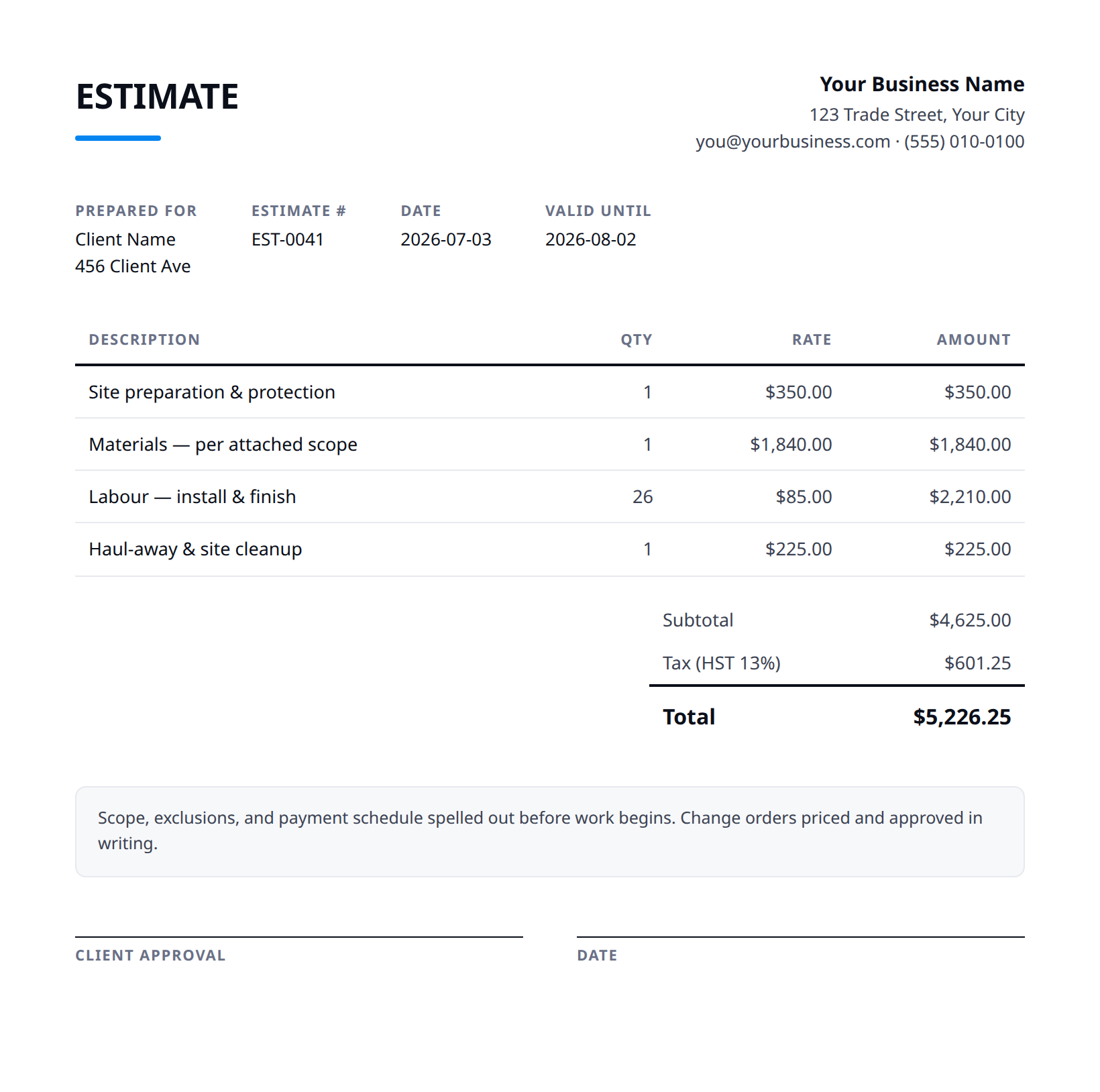
A clean, professional estimate template for pressure washing businesses — free to download and use, no email required. The Excel version calculates line amounts, tax, and the total automatically; the Word version is a fill-in you can print.
A pressure-washing estimate is mostly about surface and square footage, but the method matters: state whether a surface is getting high-pressure cleaning or soft-washing, because using the wrong one on a roof or siding causes damage. Price by area or by the job, and separate recurring service from a one-time clean.
Free for any use. No sign-up, no email gate. The Excel workbook comes pre-filled with starter pressure washing line items — edit them to match the job.
What a good pressure washing estimate includes
- Your business name and contact details — and the client's.
- An estimate number and date, plus how long the price is valid.
- Line items with a clear description, quantity, unit price, and amount.
- Subtotal, tax (at your local rate), and the total — no surprises later.
- Notes and terms: what's included, what's excluded, deposit and payment terms.
- State the surfaces and square footage included — driveway, siding, deck, roof, walkways — and price each, since they clean at different rates and pressures.
- Specify the method per surface: high-pressure for concrete, soft-wash for roofs, siding, and delicate surfaces, so the customer knows their surfaces are handled correctly.
- Note what's included — pre-treatment, detergents, post-rinse — and any add-ons like sealing concrete or treating organic growth as separate lines.
- Price recurring visits and one-off cleans separately, and state the cadence for recurring work so it's an obvious ongoing choice.
- Call out water-source and access assumptions (on-site spigot, power), and exclusions like stains that may not fully lift or pre-existing surface damage.
Example line items for a pressure washing estimate
A starting point — adapt these to the job in front of you.
Common questions
Is this template really free?
Yes — download it and use it for any business. No email, no sign-up, no watermark beyond a one-line credit you can delete.
What's the difference between the Excel and Word versions?
The Excel version calculates line amounts, tax, and the total automatically from what you type — enter your tax rate once and the math is done. The Word version is a clean fill-in you can print or edit.
Can I edit the template?
Completely. Add your logo, change labels, add rows, adjust the terms — it's yours to adapt.
When the template becomes the bottleneck
Templates work until you're retyping the same client, the same lines, and the same totals every week. Stairkey turns the job itself into the estimate — quoted on site, approved, and billed from one record. See how it fits pressure washing.