Free General Contracting Estimate Template
A clean, professional estimate template for general contracting businesses — free to download and use, no email required. The Excel version calculates line amounts, tax, and the total automatically; the Word version is a fill-in you can print.
As a general contractor, your estimate is really a coordination plan with a price on it. The client cares about one number, but behind that number you're stitching together work you'll self-perform and scopes you'll sub out to electricians, plumbers, HVAC, drywall, and more. A clear estimate makes that structure visible: it shows which trades you're carrying, how their quotes roll up under your fee, and how the job breaks into phases. Decide your pricing basis up front. Lump-sum gives the client one fixed price and puts coordination risk on you, while cost-plus bills your documented costs plus an agreed fee or percentage and suits jobs where scope is still firming up. Whichever you choose, organize the estimate into division-style phase buckets (sitework, structure, mechanical/electrical/plumbing, finishes) so the client and your subs can see exactly where each scope lives and what hands off to whom.
Free for any use. No sign-up, no email gate. The Excel workbook comes pre-filled with starter general contracting line items — edit them to match the job.
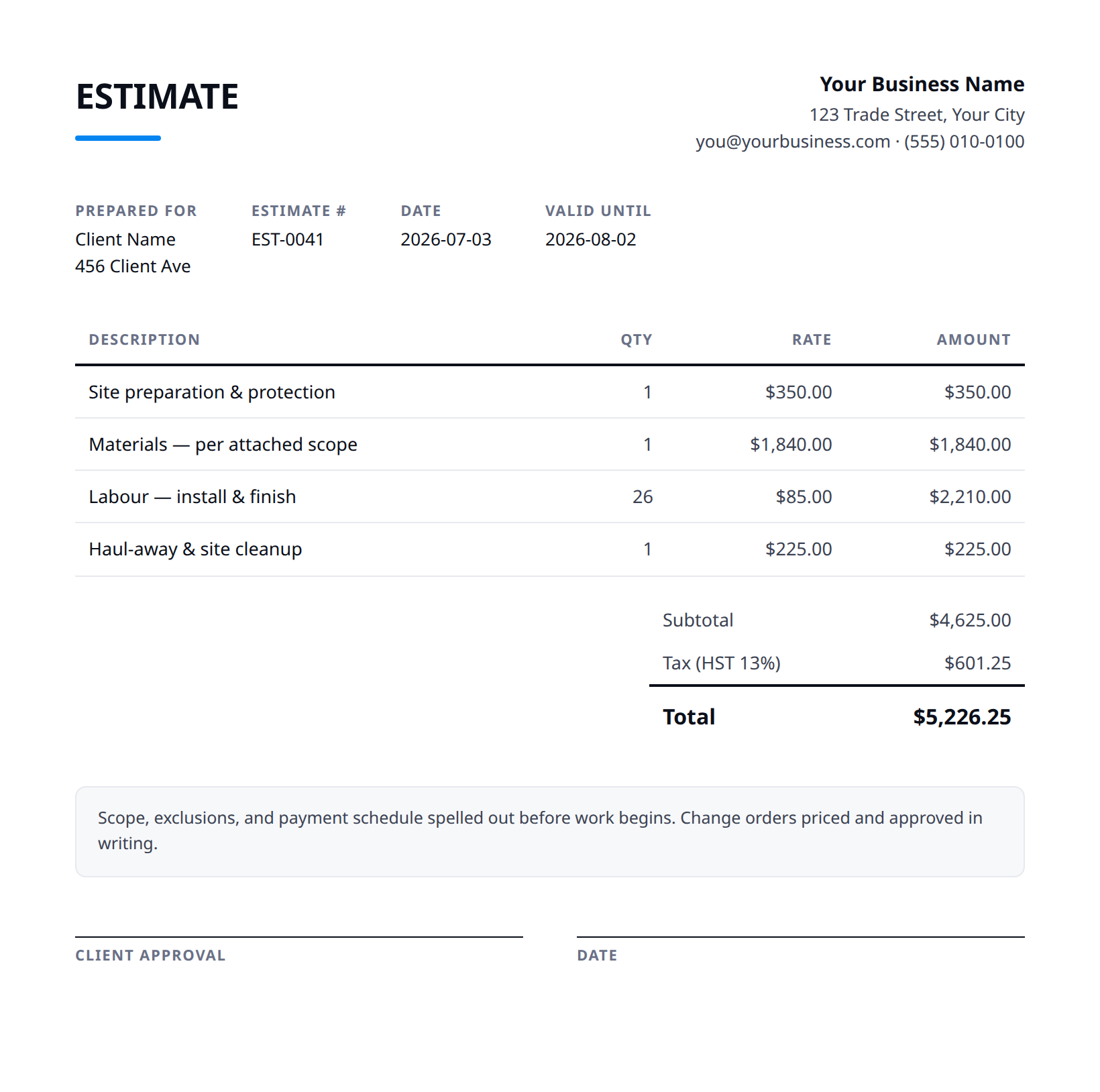
What a good general contracting estimate includes
- Your business name and contact details — and the client's.
- An estimate number and date, plus how long the price is valid.
- Line items with a clear description, quantity, unit price, and amount.
- Subtotal, tax (at your local rate), and the total — no surprises later.
- Notes and terms: what's included, what's excluded, deposit and payment terms.
- State which scopes you self-perform versus subcontract, line by line. The client should be able to see that, say, framing and finish carpentry are yours while electrical, plumbing, and HVAC are subbed under your management.
- Carry each subcontractor's quote as its own bucket and apply a stated markup or coordination fee on top. Spell out the basis, e.g. 'subcontractor costs plus 15%,' so your fee for managing and warranting their work is transparent rather than buried.
- Pick lump-sum or cost-plus and say so in plain terms. For cost-plus, define what 'cost' includes (labor, materials, sub invoices, equipment) and the fee percentage; for lump-sum, note that the price holds for the defined scope only.
- Group the work into CSI division or phase buckets rather than one long list. Phase subtotals make it obvious how much sits in structure versus mechanical versus finishes, which also sets up clean draw billing later.
- This price stands on subcontractor and material quotes that are only firm for a limited window; if a trade requotes or supplier pricing moves before you're awarded the job, the affected bucket is re-priced before contract, not absorbed.
Example line items for a general contracting estimate
A starting point — adapt these to the job in front of you.
Common questions
Is this template really free?
Yes — download it and use it for any business. No email, no sign-up, no watermark beyond a one-line credit you can delete.
What's the difference between the Excel and Word versions?
The Excel version calculates line amounts, tax, and the total automatically from what you type — enter your tax rate once and the math is done. The Word version is a clean fill-in you can print or edit.
Can I edit the template?
Completely. Add your logo, change labels, add rows, adjust the terms — it's yours to adapt.
When the template becomes the bottleneck
Templates work until you're retyping the same client, the same lines, and the same totals every week. Stairkey turns the job itself into the estimate — quoted on site, approved, and billed from one record. See how it fits general contracting.