Free Drywall Invoice Template
A clean, professional invoice template for drywall businesses — free to download and use, no email required. The Excel version calculates line amounts, tax, and the total automatically; the Word version is a fill-in you can print.
A drywall invoice should reflect the area completed and the finish level actually delivered, with any upgrade — a jump to Level 5, added texture, or repairs beyond the original scope — itemized. Finish-level changes are easy to dispute later, so naming the delivered level on the invoice keeps the final payment clean.
Free for any use. No sign-up, no email gate. The Excel workbook comes pre-filled with starter drywall line items — edit them to match the job.
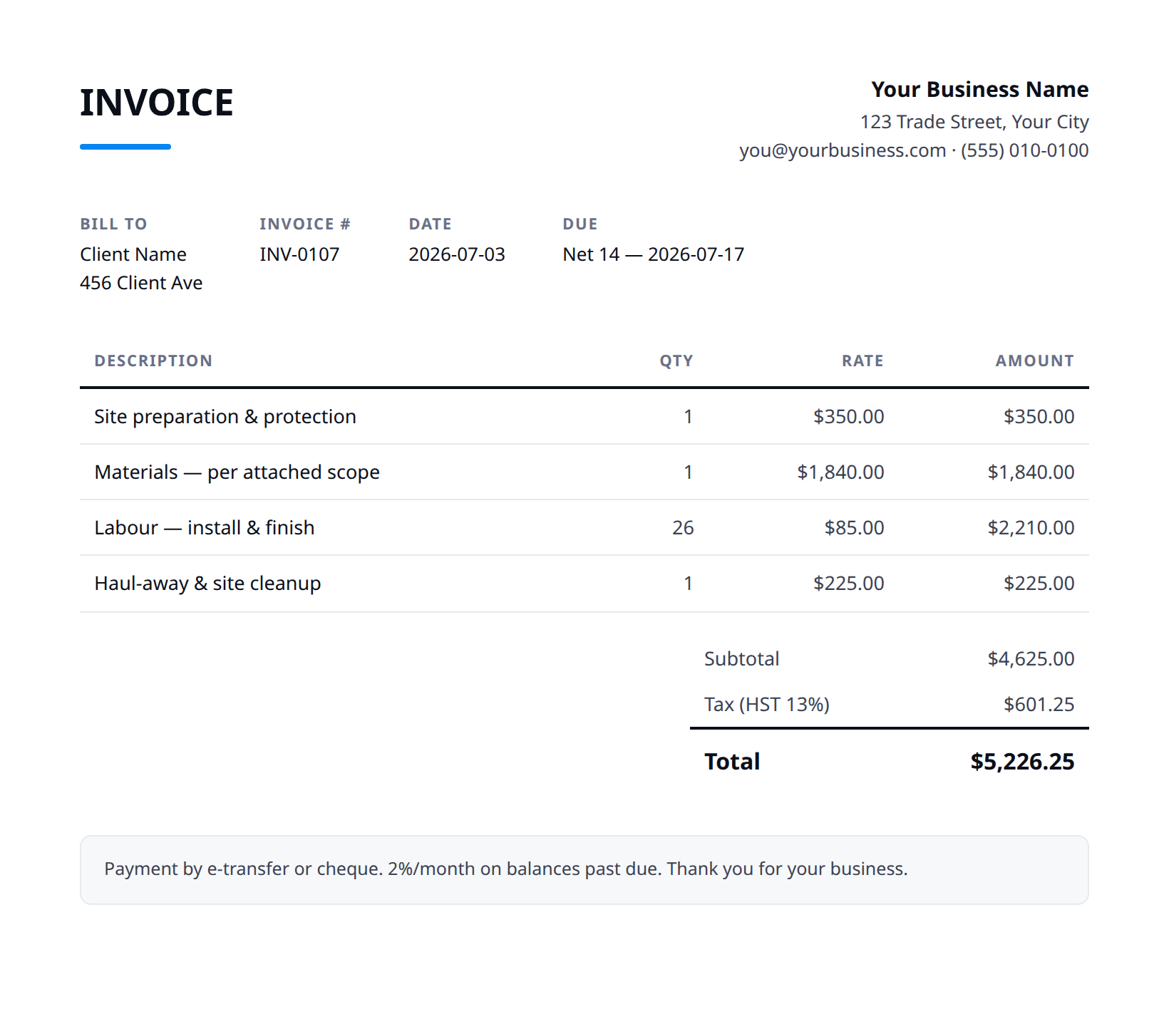
What a good drywall invoice includes
- Your business name and contact details — and the client's.
- An invoice number, issue date, and a clear due date.
- Line items that match what was quoted and what was actually done.
- Subtotal, tax (at your local rate), and the balance due.
- How to pay you: methods you accept and any late-payment terms.
- List the area completed and the finish level delivered, so the invoice matches what was quoted and what's on the wall.
- Bill a finish-level upgrade or added texture as its own change-order line, with a short note on what was requested.
- Itemize repairs or framing corrections found on site separately from the hang-and-finish scope.
- Note dust containment and cleanup actually performed, especially in an occupied home where the final sanding dust is the homeowner's first impression.
- State the deposit applied, payment due date, and accepted methods, plus any touch-up window after the painter's first coat.
Example line items for a drywall invoice
A starting point — adapt these to the job in front of you.
Common questions
Is this template really free?
Yes — download it and use it for any business. No email, no sign-up, no watermark beyond a one-line credit you can delete.
What's the difference between the Excel and Word versions?
The Excel version calculates line amounts, tax, and the total automatically from what you type — enter your tax rate once and the math is done. The Word version is a clean fill-in you can print or edit.
Can I edit the template?
Completely. Add your logo, change labels, add rows, adjust the terms — it's yours to adapt.
When the template becomes the bottleneck
Templates work until you're retyping the same client, the same lines, and the same totals every week. Stairkey turns the job itself into the invoice — quoted, approved, and billed from one record. See how it fits drywall.